A Credit is goodwill granted to an account: an amount knocked off what it will owe, separate from any payment made. It belongs to the account, not to one student, so on a shared or family account it covers whatever you bill that account next. A credit is not the same as an account being “in credit”. An account is in credit when it has paid more than it owes; a credit you issue is goodwill on top of that. The two are tracked separately.

Issue a credit

Issue a credit from the account’s Balance card, on its detail page (Finances → Accounts → an account). The credit row shows available credit; open it and use the add (+) control.
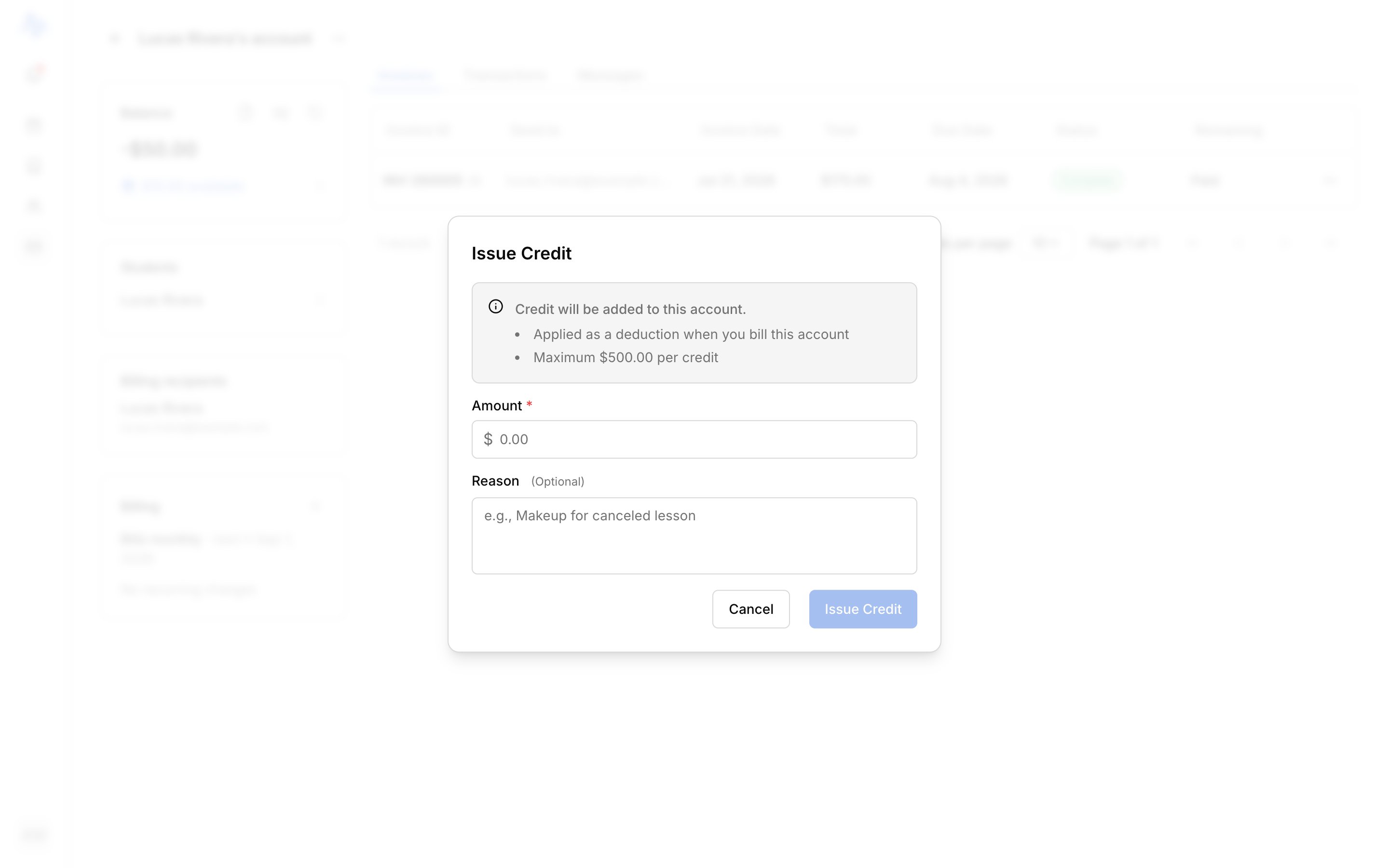
FieldNotes
AmountRequired
ReasonOptional, e.g. “Makeup for canceled lesson”
Choose Issue credit. The amount is added to the account’s available credit right away. There’s no upper limit.
Where credit shows

PlaceWhat it shows
The account’s Balance cardThe credit row: “$X available”, or “No credit”
The credit historyEvery credit issued, applied, or voided on the account (open the credit row)
On an invoiceA deduction line that lowers the amount due

How credit applies

Credit lowers what an account owes; it doesn’t pay anyone. When you send an invoice, available credit is applied automatically as a deduction, capped at the amount due, and the recipients see a lower amount to pay. You can also apply it yourself in the invoice editor (see Send an invoice). Either way, applied credit comes off the account’s available credit and the amount due drops by that much.

Voiding a credit

A credit can be voided while it’s still unspent, before any of it has been applied to an invoice. Once applied, it can’t be voided. Voiding is a correcting entry, not an edit; see Understand your transactions. A credit reduces the next bill; it isn’t handed back as cash. To return money an account has actually paid, issue a refund instead.