> ## Documentation Index
> Fetch the complete documentation index at: https://harnesscalendar.com/docs/llms.txt
> Use this file to discover all available pages before exploring further.
# Contacts
> Every person in your studio, who they're connected to, and how to add, fix, or delete them.
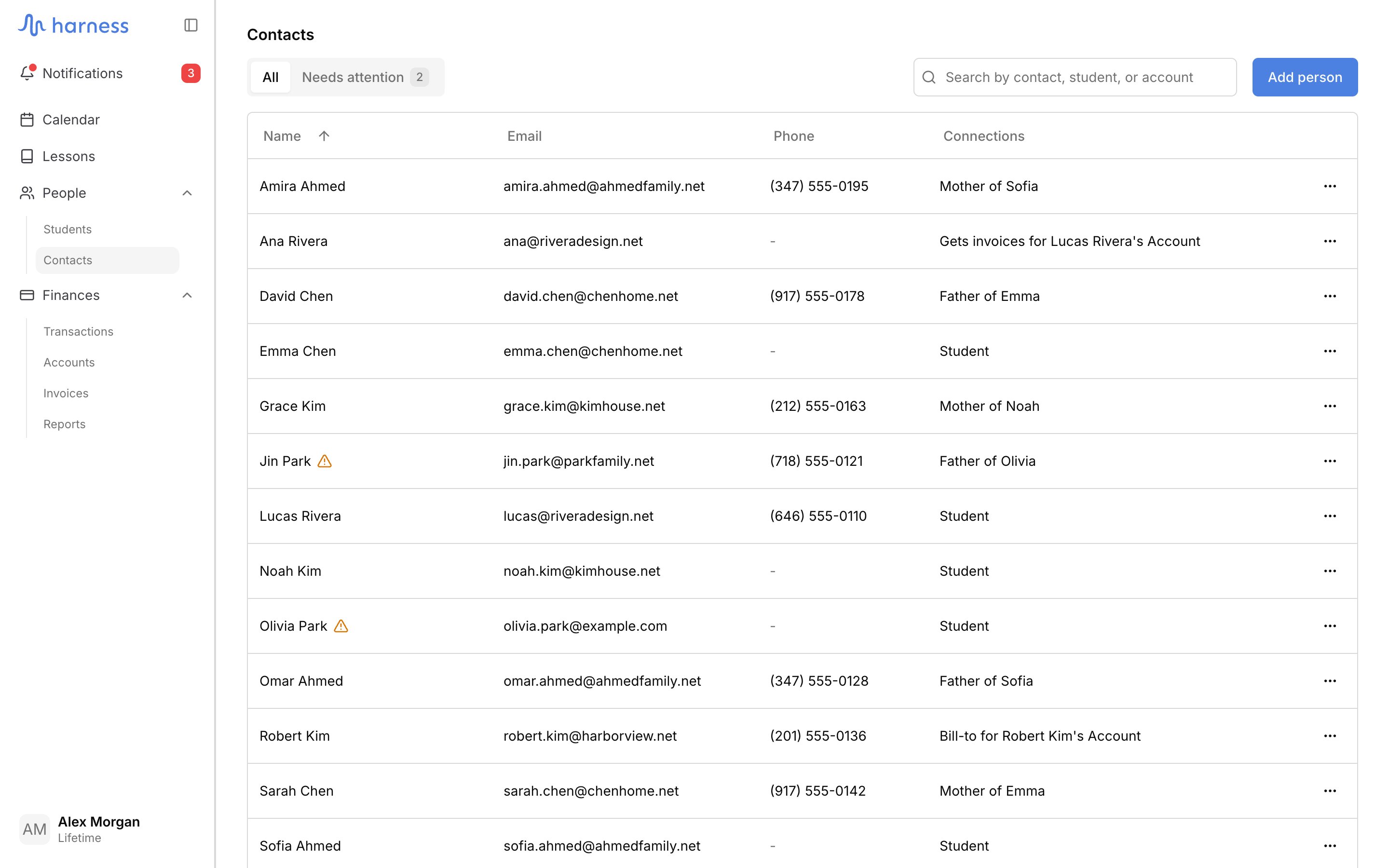
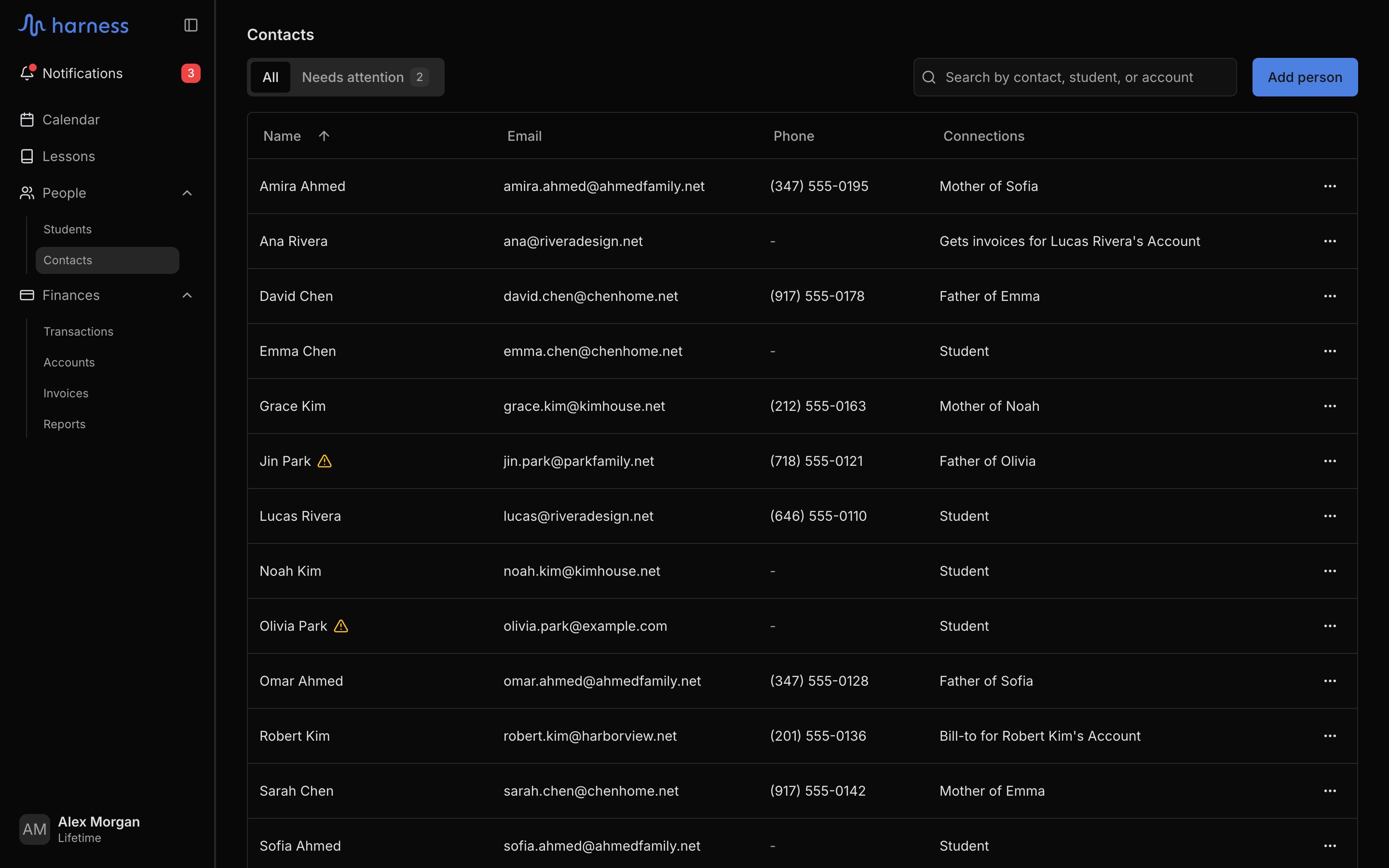
**People → Contacts** lists every person in your studio: parents, guardians, adult students, and anyone who pays an account. Use it to find someone, fix a broken email, or add a person before you connect them to a student or an account.
## The Contacts list
| Column | What it shows |
| - | - |
| **Name** | The person's name, with a warning icon when their email needs fixing |
| **Email** | Their email address |
| **Phone** | Their phone number |
| **Connections** | Who they are, in one line: "Mother of Maya and Leo", "Student", "Bill-to for Park Rentals". Hover for the full names. **No connections** when they aren't connected to anyone yet |
Two tabs filter the list:
* **All**: everyone.
* **Needs attention**: people whose email has a problem: it bounces, it isn't valid, it's a placeholder address, or it's missing for someone who needs one. The tab shows how many. See [when an address stops working](/docs/students/emails-harness-sends#when-an-address-stops-working).
People who only came in through a [sign-up link](/docs/students/invite-with-a-link) appear once you approve the student.
Search finds a person by name, email, or phone number, or by the students and accounts they're connected to. Every word you type must match. Press `/` to jump to the search box.
 ## Add a person
Click **Add person**, enter a first and last name, and add an email, phone, or address if you have them. Click **Add person** to save. The person starts with no connections; connect them from their menu (below) or from a student's **Contacts** tab.
Email is optional until the person takes on a role that sends them mail: primary contact, involved in a student's lessons, or on an account.
## A person's page
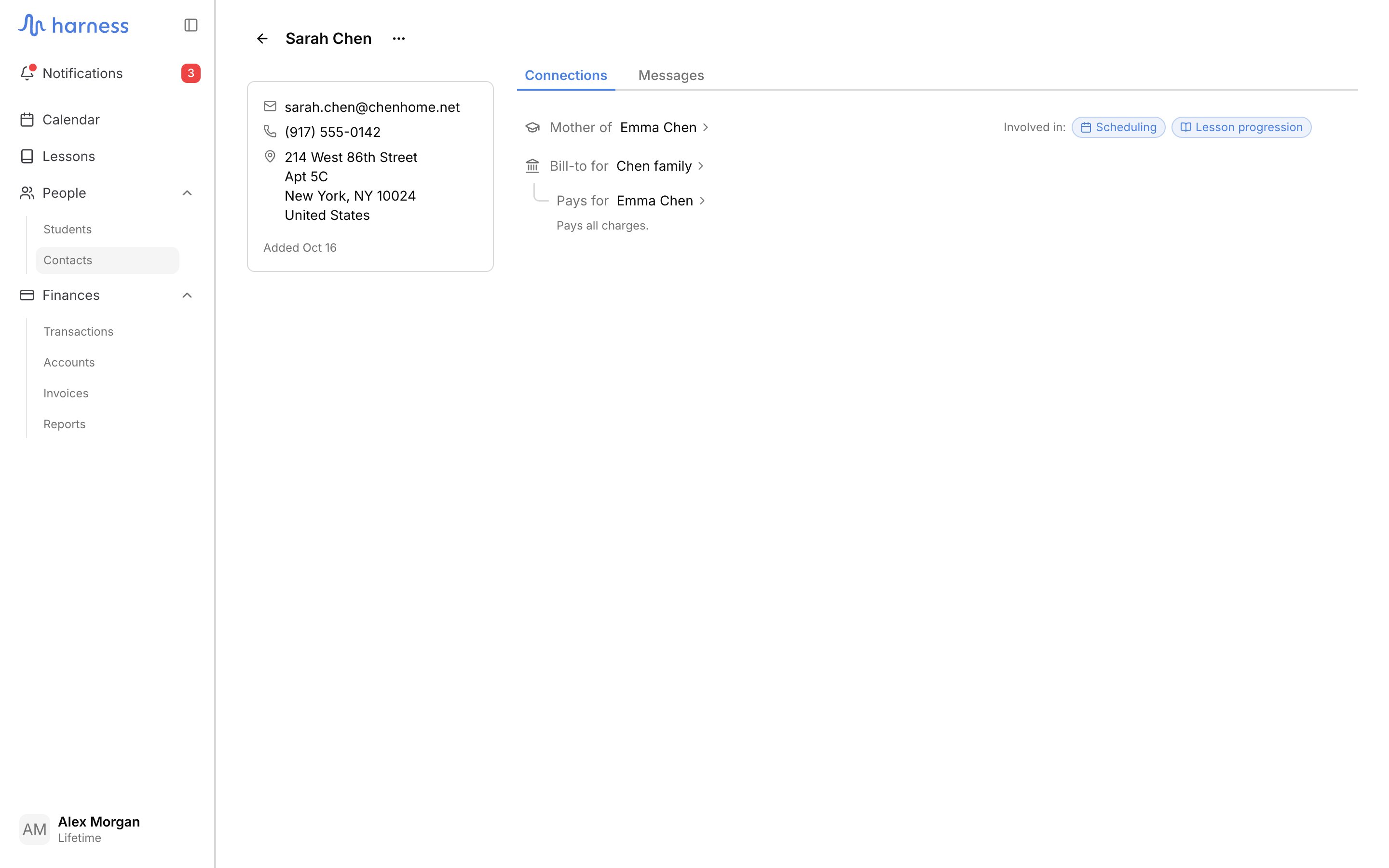
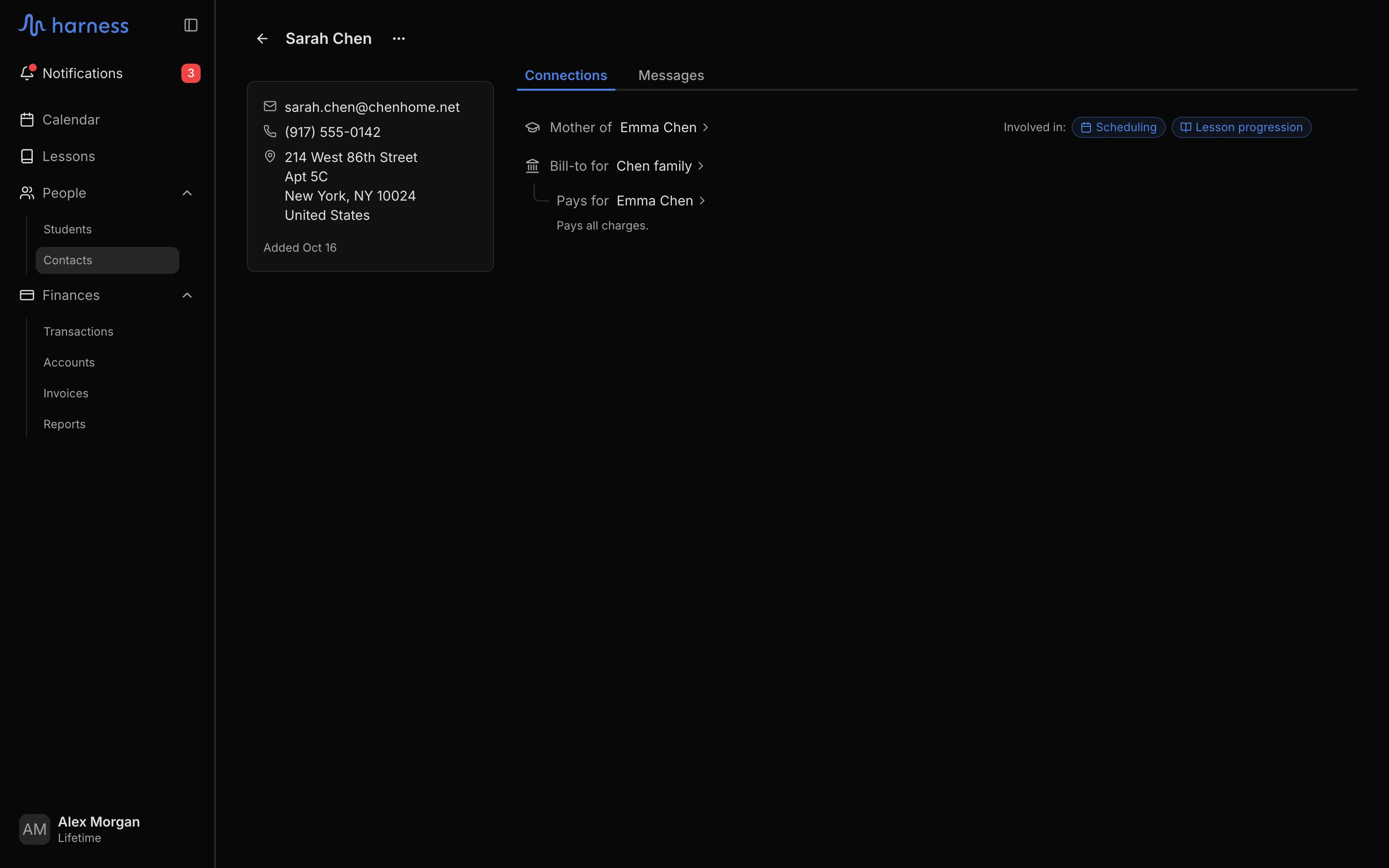
Click a person to open their page. The sidebar shows their email, phone, address, and the date they were added. On a phone, the sidebar is the **Details** tab. A banner under the header lists any email problem, with **Edit person** to fix it.
| Tab | What it shows |
| - | - |
| **Connections** | Everything the person is connected to (below) |
| **Messages** | Every email Harness sent them, with its delivery status. See [Message history](/docs/students/message-history) |
The **Connections** tab lists:
* **Student**, when the person is a student themselves, with a link to their student page.
* Each relationship ("Mother of"), with the students it covers. Each student shows the **Scheduling** and **Lesson progression** chips (click to turn them on or off) and **Disconnect**.
* **Bill-to for** each account the person is named on, with the students it pays for and the billing rule behind each.
* **Gets invoices for** each account they were added to, with **Disconnect**.
To take someone off an account, use **Disconnect** on its row. A Bill-to can't be disconnected: change the Bill-to in **Edit account** first.
## Add a person
Click **Add person**, enter a first and last name, and add an email, phone, or address if you have them. Click **Add person** to save. The person starts with no connections; connect them from their menu (below) or from a student's **Contacts** tab.
Email is optional until the person takes on a role that sends them mail: primary contact, involved in a student's lessons, or on an account.
## A person's page
Click a person to open their page. The sidebar shows their email, phone, address, and the date they were added. On a phone, the sidebar is the **Details** tab. A banner under the header lists any email problem, with **Edit person** to fix it.
| Tab | What it shows |
| - | - |
| **Connections** | Everything the person is connected to (below) |
| **Messages** | Every email Harness sent them, with its delivery status. See [Message history](/docs/students/message-history) |
The **Connections** tab lists:
* **Student**, when the person is a student themselves, with a link to their student page.
* Each relationship ("Mother of"), with the students it covers. Each student shows the **Scheduling** and **Lesson progression** chips (click to turn them on or off) and **Disconnect**.
* **Bill-to for** each account the person is named on, with the students it pays for and the billing rule behind each.
* **Gets invoices for** each account they were added to, with **Disconnect**.
To take someone off an account, use **Disconnect** on its row. A Bill-to can't be disconnected: change the Bill-to in **Edit account** first.
 ## The person menu
The **⋯** on a person's row or page offers:
| Action | What it does |
| - | - |
| **Edit** | Opens **Edit person**: name, email, phone, address. Changes apply everywhere the person appears |
| **Make a student** | Opens [Add a student](/docs/students/add-a-student) with this person as the student. Not shown for someone who already is one |
| **Attach to an account** | Adds them to an account so they get its invoices and portal access, or creates a new account with them as its Bill-to. Asks for an email if they don't have one |
| **View portal** | Shows what this person sees in the [portal](/docs/students/student-portal), read-only |
| **Send portal invite** | Emails them a link to the portal |
| **Go to person** | Opens their page (from the list) |
| **Delete person** | Deletes them (below) |
Portal actions need a valid email. Without one, Harness shows **Add an email address to continue**.
## Delete a person
Choose **Delete person** and confirm. This cannot be undone.
Harness refuses while the person still has a role that someone depends on, and says what to fix first:
| If the person is | Harness says, for example | Fix it by |
| - | - | - |
| A student | "Emma Chen is a student. Delete the student instead." | [Deleting the student](/docs/students/delete-a-student) |
| A student's primary contact | "Sarah Chen is Emma Chen's primary contact. Set a new primary first." | Choosing **Make primary** on someone else in that student's [Contacts](/docs/students/contacts-and-notifications) |
| An account's Bill-to | "Sarah Chen is the Bill-to of Chen family. Change the Bill-to in Edit account first." | Changing the Bill-to in **Edit account** |
Any other connections (a contact who isn't primary, a person added to an account) are removed with them. Emails already sent to them stay in message history.
## FAQ
A student is someone you teach; a contact is any person. Every student is also a person in this list, shown as **Student** in **Connections**. See [Key concepts](/docs/getting-started/key-concepts).
One person is one record. A parent of two students is one contact, so **Edit person** changes their details everywhere they appear.
This documentation is built and hosted on [Mintlify](https://mintlify.com), a developer documentation platform.
## The person menu
The **⋯** on a person's row or page offers:
| Action | What it does |
| - | - |
| **Edit** | Opens **Edit person**: name, email, phone, address. Changes apply everywhere the person appears |
| **Make a student** | Opens [Add a student](/docs/students/add-a-student) with this person as the student. Not shown for someone who already is one |
| **Attach to an account** | Adds them to an account so they get its invoices and portal access, or creates a new account with them as its Bill-to. Asks for an email if they don't have one |
| **View portal** | Shows what this person sees in the [portal](/docs/students/student-portal), read-only |
| **Send portal invite** | Emails them a link to the portal |
| **Go to person** | Opens their page (from the list) |
| **Delete person** | Deletes them (below) |
Portal actions need a valid email. Without one, Harness shows **Add an email address to continue**.
## Delete a person
Choose **Delete person** and confirm. This cannot be undone.
Harness refuses while the person still has a role that someone depends on, and says what to fix first:
| If the person is | Harness says, for example | Fix it by |
| - | - | - |
| A student | "Emma Chen is a student. Delete the student instead." | [Deleting the student](/docs/students/delete-a-student) |
| A student's primary contact | "Sarah Chen is Emma Chen's primary contact. Set a new primary first." | Choosing **Make primary** on someone else in that student's [Contacts](/docs/students/contacts-and-notifications) |
| An account's Bill-to | "Sarah Chen is the Bill-to of Chen family. Change the Bill-to in Edit account first." | Changing the Bill-to in **Edit account** |
Any other connections (a contact who isn't primary, a person added to an account) are removed with them. Emails already sent to them stay in message history.
## FAQ
A student is someone you teach; a contact is any person. Every student is also a person in this list, shown as **Student** in **Connections**. See [Key concepts](/docs/getting-started/key-concepts).
One person is one record. A parent of two students is one contact, so **Edit person** changes their details everywhere they appear.
This documentation is built and hosted on [Mintlify](https://mintlify.com), a developer documentation platform.