> ## Documentation Index
> Fetch the complete documentation index at: https://harnesscalendar.com/docs/llms.txt
> Use this file to discover all available pages before exploring further.
# Refunds
> A refund gives a family back money they paid that they don't owe.
 A refund comes out of a family's own money held on an [account](/docs/accounts), like an [overpayment](/docs/payments#partial-payments-and-overpayments) or a prepayment for lessons that won't happen. Card payments made through Harness go back to the card on their own; for cash, a check, or an app like Zelle, you hand the money back and Harness records it. [Studio credit](/docs/credits) you gave isn't money the family paid, so it can't be refunded.
## Refund money on account
When a family has paid more than they owe, the account shows as in credit, and you can give that money back.
In **Finances → Accounts**, open the account's **⋯** menu and choose **Issue refund**. It appears only when the account is in credit.
The form's **Available credit** is the family's own money held on the account, not studio credit. **Amount** starts at all of it; lower it to give back part.
Pick a **Reason**, and a **Return method** for the money you hand back yourself, like Zelle or a check. Money from a card payment made through Harness goes back to the card, whatever you pick.
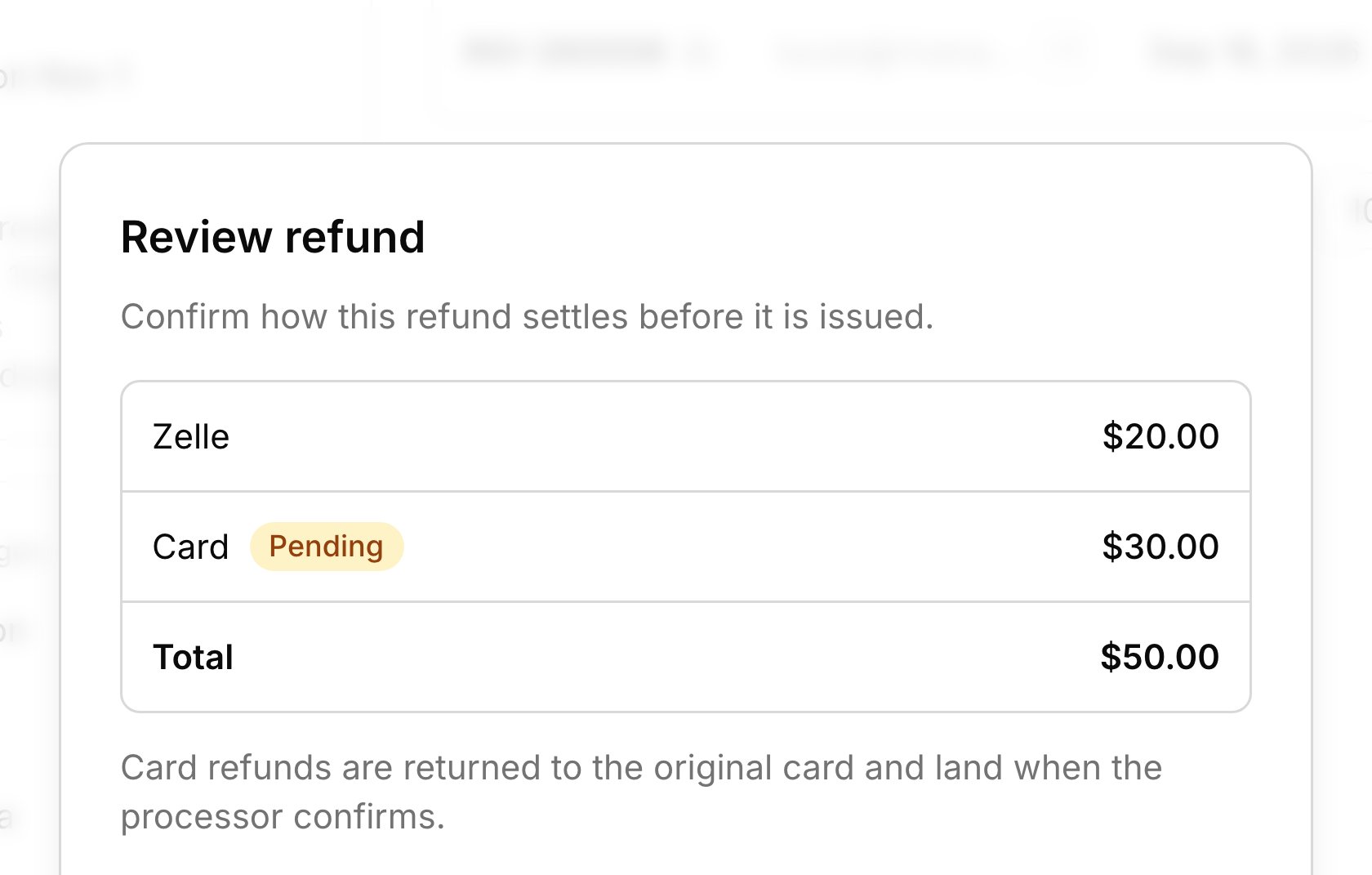
Click **Review refund** to see how each part goes back, then click **Issue \$X**.
You can also choose **Refund** on a payment in [Transactions](/docs/transactions). It opens the same refund for the whole account, not just that payment.
## Cancel and refund a charge
Use **Cancel & refund** when a family paid for something you're taking back, like a lesson that won't happen. Find it in the **⋯** menu of a paid [charge](/docs/charges) in Transactions or on the student's **Billing** tab. It cancels the charge and opens the refund form; the lesson stays on the calendar. If the family still owes on another invoice, the money covers that first, so there may be less to refund, or nothing. The form starts with everything the account holds, so lower the amount if you only mean to return this charge. If you close the form without refunding, the charge stays cancelled and the money stays on the account, to refund later or use on the next invoice.
## Card refunds
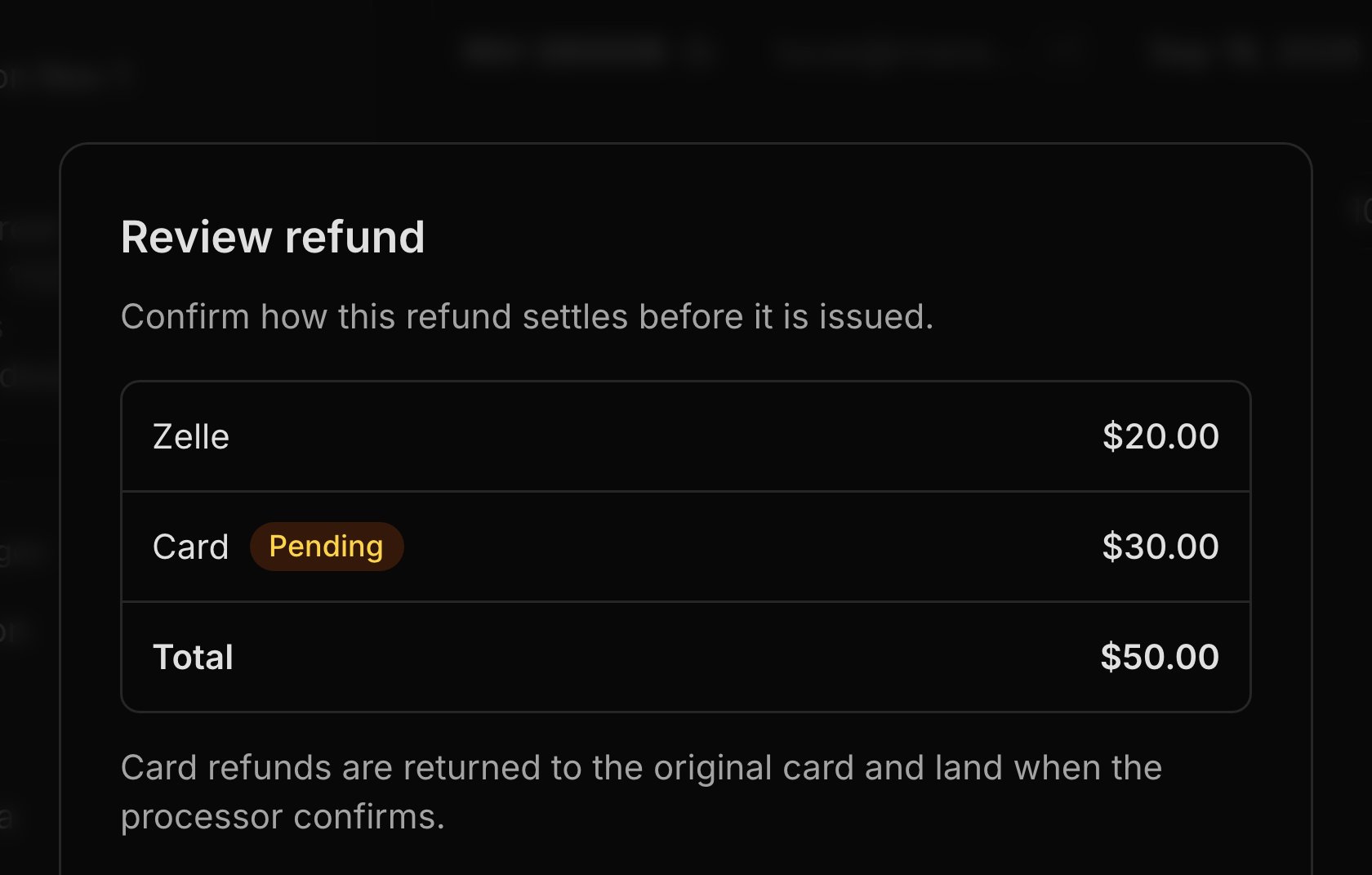
Card payments families made through [online payments](/docs/online-payments) go back to the same card through Stripe. Everything else, including a card payment you recorded yourself, you hand back, and Harness records how you did it. Card lines show **Pending** on the review step, and the refund appears in Transactions once Stripe confirms it. Stripe sends the money to the card, and the family's bank decides when it shows. Stripe keeps its processing fee, and a card refund can't be voided in Harness. If a bank turns a card refund down, the money comes back to the account and you get an [alert](/docs/inbox-and-notifications).
## Refunds on a closed account
Closing an account doesn't stop you giving money back. **Issue refund** stays in a closed account's **⋯** menu. When a closed account holds money, like a card payment that arrived after you closed it, it shows **Money on a closed account** with a **Refund** button, and you don't need to reopen it. When you [close an account](/docs/accounts#close-reopen-or-delete) that still holds money, choose **Refund and close** to send it back, or **Keep and close** to count it as your income.
## What your families see
Families get no email from Harness when you refund them. Card refunds show up on their card statement. In the [student portal](/docs/student-portal), the line showing money held on their account goes down or goes away.
## FAQ
Studio credit takes money off future invoices, but it isn't money the family paid, so there's nothing to give back. **Available credit** counts only what they paid. See [Credits](/docs/credits).
A refund comes out of the account's oldest payments first, whichever payment you start from. If the oldest money came in by cash, that part goes back by hand. The review step shows how each part goes back before you issue it.
No. Harness doesn't email families about refunds, so let them know yourself, especially for a card refund.
The family's bank turned down the card refund, so the money is back on the account. It can't go back to that card, so refund it again by hand.
Money the family still owes on sent invoices comes out first, so **Available credit** is what's left.
This documentation is built and hosted on [Mintlify](https://mintlify.com), a developer documentation platform.
A refund comes out of a family's own money held on an [account](/docs/accounts), like an [overpayment](/docs/payments#partial-payments-and-overpayments) or a prepayment for lessons that won't happen. Card payments made through Harness go back to the card on their own; for cash, a check, or an app like Zelle, you hand the money back and Harness records it. [Studio credit](/docs/credits) you gave isn't money the family paid, so it can't be refunded.
## Refund money on account
When a family has paid more than they owe, the account shows as in credit, and you can give that money back.
In **Finances → Accounts**, open the account's **⋯** menu and choose **Issue refund**. It appears only when the account is in credit.
The form's **Available credit** is the family's own money held on the account, not studio credit. **Amount** starts at all of it; lower it to give back part.
Pick a **Reason**, and a **Return method** for the money you hand back yourself, like Zelle or a check. Money from a card payment made through Harness goes back to the card, whatever you pick.
Click **Review refund** to see how each part goes back, then click **Issue \$X**.
You can also choose **Refund** on a payment in [Transactions](/docs/transactions). It opens the same refund for the whole account, not just that payment.
## Cancel and refund a charge
Use **Cancel & refund** when a family paid for something you're taking back, like a lesson that won't happen. Find it in the **⋯** menu of a paid [charge](/docs/charges) in Transactions or on the student's **Billing** tab. It cancels the charge and opens the refund form; the lesson stays on the calendar. If the family still owes on another invoice, the money covers that first, so there may be less to refund, or nothing. The form starts with everything the account holds, so lower the amount if you only mean to return this charge. If you close the form without refunding, the charge stays cancelled and the money stays on the account, to refund later or use on the next invoice.
## Card refunds
Card payments families made through [online payments](/docs/online-payments) go back to the same card through Stripe. Everything else, including a card payment you recorded yourself, you hand back, and Harness records how you did it. Card lines show **Pending** on the review step, and the refund appears in Transactions once Stripe confirms it. Stripe sends the money to the card, and the family's bank decides when it shows. Stripe keeps its processing fee, and a card refund can't be voided in Harness. If a bank turns a card refund down, the money comes back to the account and you get an [alert](/docs/inbox-and-notifications).
## Refunds on a closed account
Closing an account doesn't stop you giving money back. **Issue refund** stays in a closed account's **⋯** menu. When a closed account holds money, like a card payment that arrived after you closed it, it shows **Money on a closed account** with a **Refund** button, and you don't need to reopen it. When you [close an account](/docs/accounts#close-reopen-or-delete) that still holds money, choose **Refund and close** to send it back, or **Keep and close** to count it as your income.
## What your families see
Families get no email from Harness when you refund them. Card refunds show up on their card statement. In the [student portal](/docs/student-portal), the line showing money held on their account goes down or goes away.
## FAQ
Studio credit takes money off future invoices, but it isn't money the family paid, so there's nothing to give back. **Available credit** counts only what they paid. See [Credits](/docs/credits).
A refund comes out of the account's oldest payments first, whichever payment you start from. If the oldest money came in by cash, that part goes back by hand. The review step shows how each part goes back before you issue it.
No. Harness doesn't email families about refunds, so let them know yourself, especially for a card refund.
The family's bank turned down the card refund, so the money is back on the account. It can't go back to that card, so refund it again by hand.
Money the family still owes on sent invoices comes out first, so **Available credit** is what's left.
This documentation is built and hosted on [Mintlify](https://mintlify.com), a developer documentation platform.