> ## Documentation Index
> Fetch the complete documentation index at: https://harnesscalendar.com/docs/llms.txt
> Use this file to discover all available pages before exploring further.
# Contacts
> Contacts are the people connected to your students, like parents, guardians, and payers.
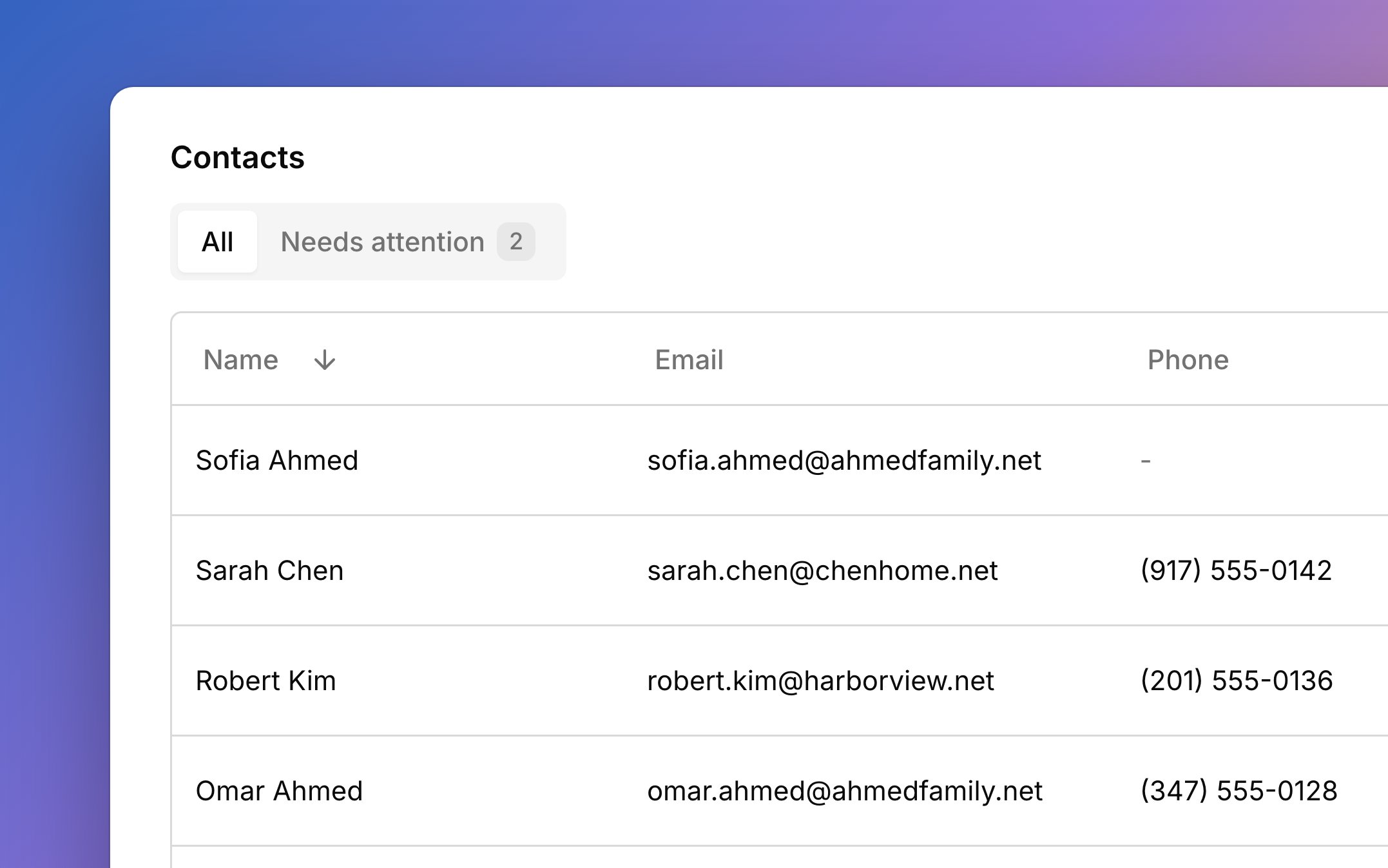
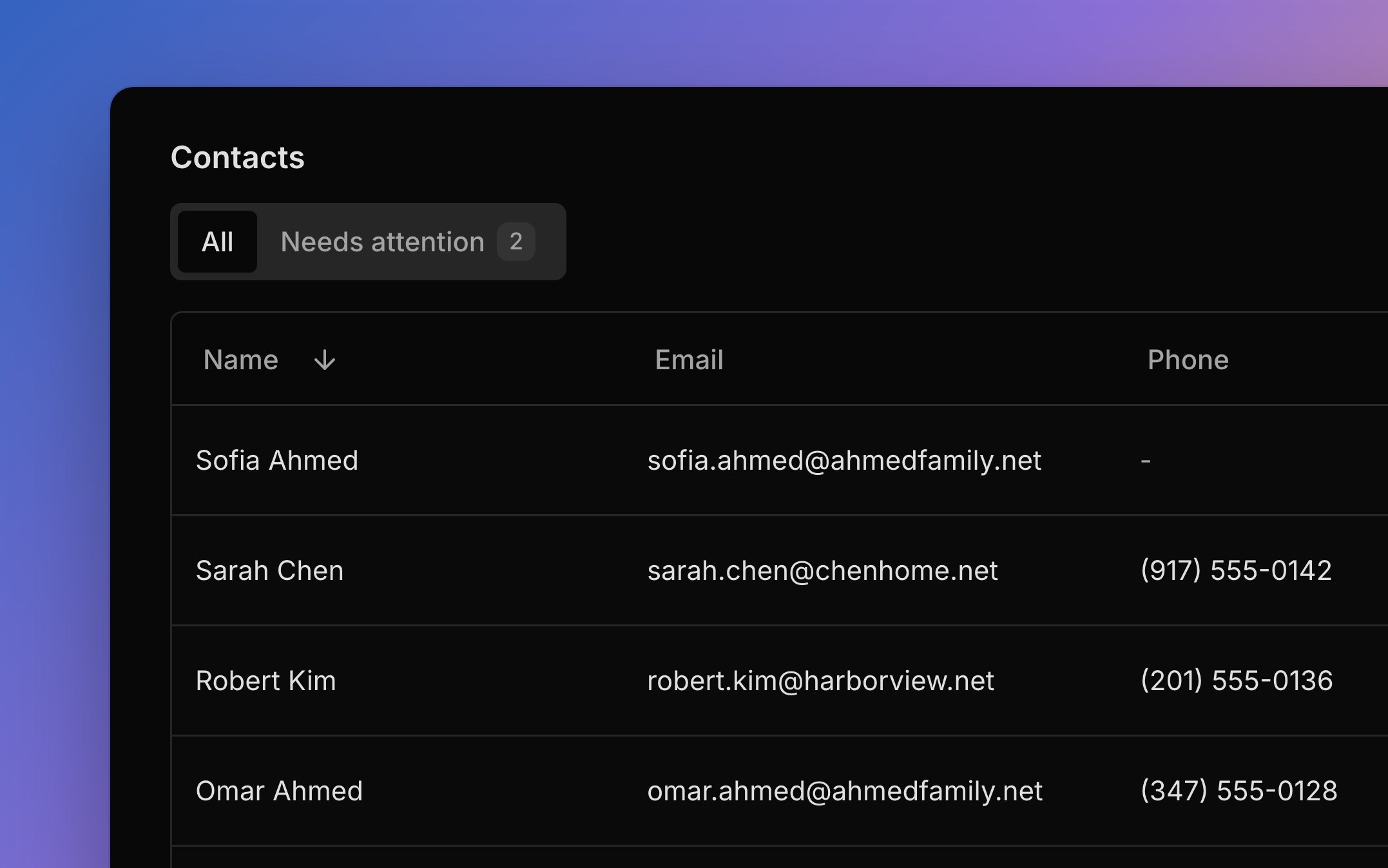 Every student, parent, guardian, and payer in your studio is listed once under **People → Contacts**. A parent of two students is one person, so you edit them in one place. Each person's page shows who they're connected to and every email Harness has sent them.
## Who counts as a contact
Everyone lands here on their own: every student, and every parent, guardian, or payer you add through a student, an approved [sign-up](/docs/sign-up-form), or an account's Bill-to. The **Connections** column says who each person is in one line, like "Mother of Maya and Leo" or "Bill-to for Park Rentals". Search finds a person by their own details or by their student's or account's name, since you often remember the child, not the parent. [Press `/`](/docs/keyboard-shortcuts) to jump to search.
**Add person** makes a new person with no connections. To reuse someone who's already here, pick them in the search when you add a contact to a student.
## Connect to students and accounts
A person's **Connections** tab shows every student and account they're tied to. To connect someone to a student, open the student's **Contacts** tab and click **Add contact**. Search for someone who already exists or type a new name, pick their relationship, and choose what they're [involved in](#who-gets-emails).
To connect someone to an [account](/docs/accounts), choose **Attach to an account** from their **⋯** menu. They get its invoices and see it in the portal, or you can make a new account with them as its Bill-to. **Make a student** in the same menu turns a person into a [student](/docs/students#add-a-student).
**Disconnect** on a row of the **Connections** tab removes that one link. If it was their last connection, Harness offers to delete them too. An account's Bill-to can't be disconnected; change the Bill-to in **Edit account** instead.
## Primary contact
Each student has one primary contact, starred on their **Contacts** tab. This is the main person for that student: they get the welcome email and [studio policy](/docs/studio-policy) updates, and a new student's first account bills them. A primary contact needs an email. To change it, choose **Make primary** on another contact's card, then decide what the old and new primary each stay involved in. Disconnecting the primary asks you to pick a new one first, and the old primary is deleted if they have no other students or accounts.
## Who gets emails
Two choices on each contact, under **Involved in**, decide which lesson emails that person gets for the student:
* **Scheduling:** a confirmation when the family moves a lesson with a [reschedule link](/docs/scheduling-links#reschedule-links) or taps [**Can't attend**](/docs/lessons#late-cancellations) in the portal. These contacts also get the **Can't attend** button and see the student's lessons in the [portal](/docs/student-portal).
* **Lesson progression:** your [lesson notes](/docs/lessons#lesson-notes), by email and in the portal.
Each saves as soon as you click it. Turning one on needs an email. Moving or cancelling a lesson on the calendar sends no email. Invoices don't follow these choices: they go to the account's people. Harness sends one email per address, even when two people share it. For everything Harness sends, see [Emails Harness sends](/docs/messages#emails-harness-sends).
## Needs attention
The **Needs attention** tab shows anyone whose email can't receive mail, so you can fix it before an invoice or note goes missing. That covers an address that [bounces](/docs/messages#when-an-address-stops-working), isn't valid, or is a placeholder like example.com, and a primary contact or Bill-to with no email. The same warning shows by the person's name and on their page, where **Edit person** fixes it.
## Delete a person
**Delete person** in a person's **⋯** menu removes them and all their connections for good. Harness refuses, and says why, while the person is a [student](/docs/students#delete-a-student), a student's primary contact, or an account's [Bill-to](/docs/accounts). Hand off that role first: make someone else primary, or change the Bill-to in **Edit account**. Emails already sent stay on the student's and account's **Messages** tabs, under the address they went to.
## What your families see
Families hear from you based on how they're connected.
* Contacts involved in **Scheduling** get reschedule and **Can't attend** confirmations, and can tap **Can't attend** on upcoming lessons.
* Contacts involved in **Lesson progression** get your notes by email and can read them in the portal.
* People on an account get its invoices and see it in the portal.
* Anyone connected signs in to the [student portal](/docs/student-portal) with their email.
## FAQ
Yes. When you add them to the second student, pick them in the **Add contact** search instead of typing them again.
One person is one record, so an edit changes them everywhere they appear.
They're a student, a primary contact, or an account's Bill-to. Hand off that role first, as in [Delete a person](#delete-a-person).
Notes go only to contacts involved in **Lesson progression** for that student. Turn it on for them, as in [Who gets emails](#who-gets-emails).
**Add person** always makes a new person. Delete the one you don't need, and next time pick the existing person in the **Add contact** search.
This documentation is built and hosted on [Mintlify](https://mintlify.com), a developer documentation platform.
Every student, parent, guardian, and payer in your studio is listed once under **People → Contacts**. A parent of two students is one person, so you edit them in one place. Each person's page shows who they're connected to and every email Harness has sent them.
## Who counts as a contact
Everyone lands here on their own: every student, and every parent, guardian, or payer you add through a student, an approved [sign-up](/docs/sign-up-form), or an account's Bill-to. The **Connections** column says who each person is in one line, like "Mother of Maya and Leo" or "Bill-to for Park Rentals". Search finds a person by their own details or by their student's or account's name, since you often remember the child, not the parent. [Press `/`](/docs/keyboard-shortcuts) to jump to search.
**Add person** makes a new person with no connections. To reuse someone who's already here, pick them in the search when you add a contact to a student.
## Connect to students and accounts
A person's **Connections** tab shows every student and account they're tied to. To connect someone to a student, open the student's **Contacts** tab and click **Add contact**. Search for someone who already exists or type a new name, pick their relationship, and choose what they're [involved in](#who-gets-emails).
To connect someone to an [account](/docs/accounts), choose **Attach to an account** from their **⋯** menu. They get its invoices and see it in the portal, or you can make a new account with them as its Bill-to. **Make a student** in the same menu turns a person into a [student](/docs/students#add-a-student).
**Disconnect** on a row of the **Connections** tab removes that one link. If it was their last connection, Harness offers to delete them too. An account's Bill-to can't be disconnected; change the Bill-to in **Edit account** instead.
## Primary contact
Each student has one primary contact, starred on their **Contacts** tab. This is the main person for that student: they get the welcome email and [studio policy](/docs/studio-policy) updates, and a new student's first account bills them. A primary contact needs an email. To change it, choose **Make primary** on another contact's card, then decide what the old and new primary each stay involved in. Disconnecting the primary asks you to pick a new one first, and the old primary is deleted if they have no other students or accounts.
## Who gets emails
Two choices on each contact, under **Involved in**, decide which lesson emails that person gets for the student:
* **Scheduling:** a confirmation when the family moves a lesson with a [reschedule link](/docs/scheduling-links#reschedule-links) or taps [**Can't attend**](/docs/lessons#late-cancellations) in the portal. These contacts also get the **Can't attend** button and see the student's lessons in the [portal](/docs/student-portal).
* **Lesson progression:** your [lesson notes](/docs/lessons#lesson-notes), by email and in the portal.
Each saves as soon as you click it. Turning one on needs an email. Moving or cancelling a lesson on the calendar sends no email. Invoices don't follow these choices: they go to the account's people. Harness sends one email per address, even when two people share it. For everything Harness sends, see [Emails Harness sends](/docs/messages#emails-harness-sends).
## Needs attention
The **Needs attention** tab shows anyone whose email can't receive mail, so you can fix it before an invoice or note goes missing. That covers an address that [bounces](/docs/messages#when-an-address-stops-working), isn't valid, or is a placeholder like example.com, and a primary contact or Bill-to with no email. The same warning shows by the person's name and on their page, where **Edit person** fixes it.
## Delete a person
**Delete person** in a person's **⋯** menu removes them and all their connections for good. Harness refuses, and says why, while the person is a [student](/docs/students#delete-a-student), a student's primary contact, or an account's [Bill-to](/docs/accounts). Hand off that role first: make someone else primary, or change the Bill-to in **Edit account**. Emails already sent stay on the student's and account's **Messages** tabs, under the address they went to.
## What your families see
Families hear from you based on how they're connected.
* Contacts involved in **Scheduling** get reschedule and **Can't attend** confirmations, and can tap **Can't attend** on upcoming lessons.
* Contacts involved in **Lesson progression** get your notes by email and can read them in the portal.
* People on an account get its invoices and see it in the portal.
* Anyone connected signs in to the [student portal](/docs/student-portal) with their email.
## FAQ
Yes. When you add them to the second student, pick them in the **Add contact** search instead of typing them again.
One person is one record, so an edit changes them everywhere they appear.
They're a student, a primary contact, or an account's Bill-to. Hand off that role first, as in [Delete a person](#delete-a-person).
Notes go only to contacts involved in **Lesson progression** for that student. Turn it on for them, as in [Who gets emails](#who-gets-emails).
**Add person** always makes a new person. Delete the one you don't need, and next time pick the existing person in the **Add contact** search.
This documentation is built and hosted on [Mintlify](https://mintlify.com), a developer documentation platform.